Use the templates below to communicate the rollout of AI Response for phishing report to your organization.

Email Announcement

Recommended for organization-wide email blasts. Covers the full context, examples, and next steps.
Replace all [PLACEHOLDER]values with your organization’s specific details before sending.

Subject: Faster Response to Your Phishing Reports

You’ll Now Get Immediate Answers When You Report Suspicious Emails Starting [DATE], when you report suspicious emails, you’ll get an immediate response explaining whether it was actually malicious and why. What’s New When you report a suspicious email using [the phishing button], you’ll immediately receive a response that tells you:
  • Was it actually malicious? (Safe, Spam, or Malicious)
  • Why? (Specific red flags or safe indicators from that email)
  • What to do next (if anything)
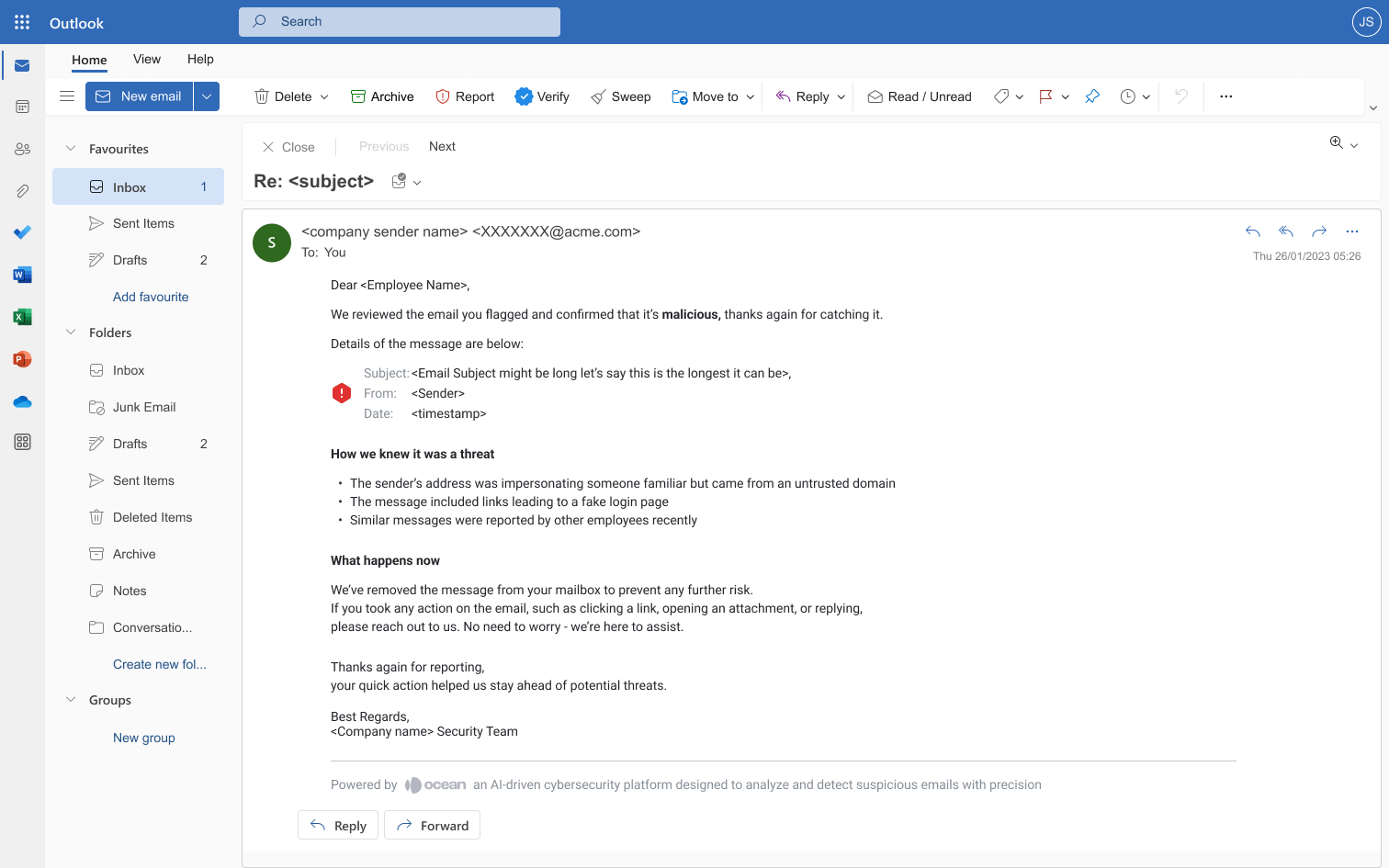
What’s Not Changing Please continue reporting suspicious emails the same way you do today by using the [the phishing button] The only difference is that you’ll now receive faster, more informative feedback. How It Works Reported emails are analyzed using an AI-based system to provide security insights. While the system helps identify potential threats, automated analysis may not detect every malicious activity. Always follow your organization’s security policies and use your judgment before considering an email safe. Response Examples Malicious Email -
Ai Response M365 Malicious
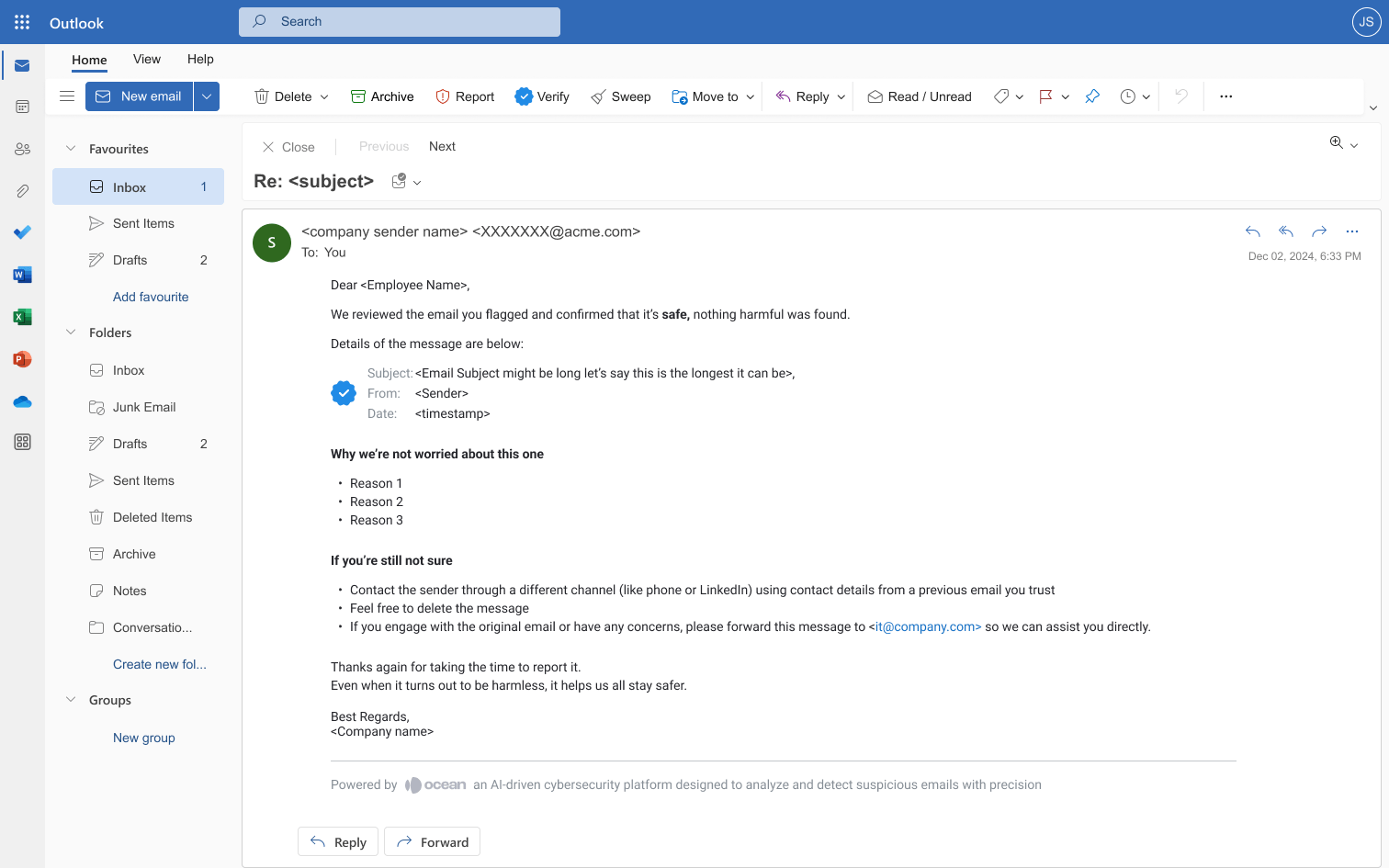
Safe Email -
Ai Response M365 Safe
Questions? Contact the Security Team at [CONTACT METHOD] Thank you for helping keep our organization safe.